Reigning in performance of third party assets
Optimizing third party assets is simultaneously the most important and frustrating experience of speeding up websites. Even though your website might be using the latest and greatest performance optimization techniques, you have little control over how well optimized assets loaded from third party domains are.
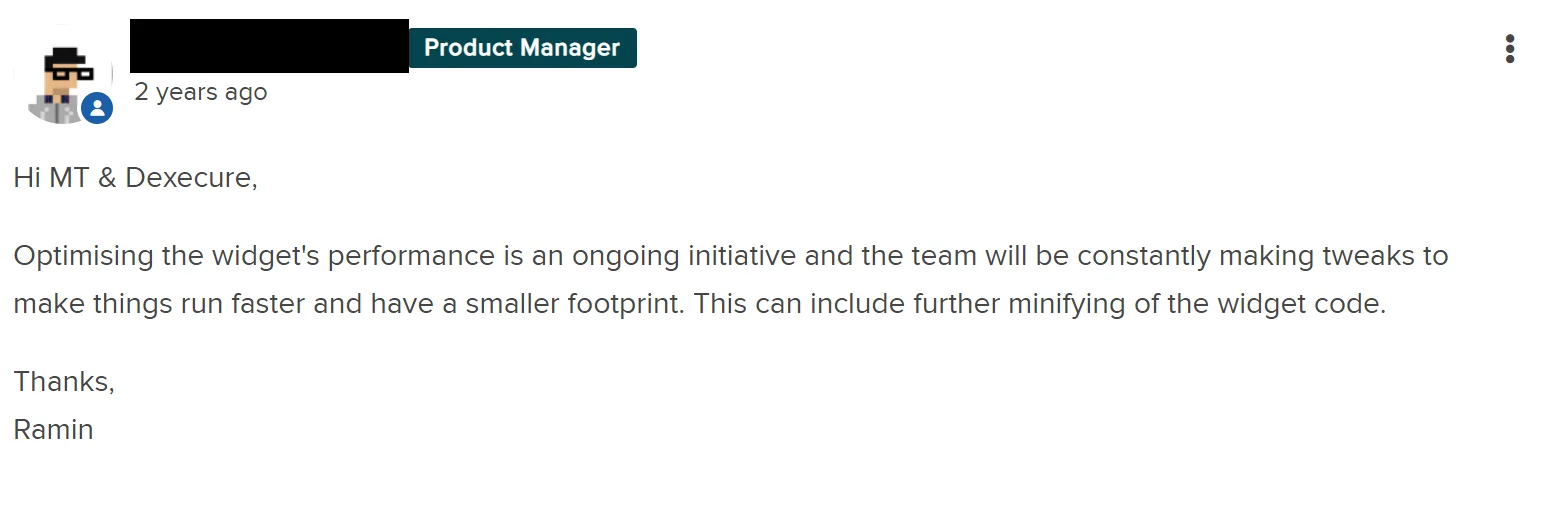
The number of times I have spent emailing support or posting in product forums asking them to at least set a cache control header on their assets they serve! For example, here is a (non-)reply that I got from a very popular chat widget provider (at least used by 400k websites), when I told them that they can cut down their compressed JavaScript size by more than 40KB by just minifying their script. This issue has been open for over two years now and we decided to move to a different provider, but this may not be always possible.
This is a good example of how jQuery CDN started using gzip with higher levels of compression after it was pointed to them:
This was a big win because the numerous websites using the jQuery script would have benefited from this optimization. In this blog post, first we will briefly go over some of the ways in which third party assets can misbehave and negatively impact the performance of your website and then we will talk about a new feature we are launching at Dexecure that gives you a bit more control over the situation.
Third party libraries are considered evil
Hey..come back, I was just joking! Of course, they aren’t all bad. Even if you are running a small website, chances are you are going to be using third party products for analytics, A/B testing, chat widgets, etc. But, here are a few ways in which having too many third party scripts in your page can be a bad thing for performance.
Single Point of Failure
Depending on the kind of asset you are loading from third party servers, they can be a Single Point of Failure (SPOF). This could especially bad, if you are loading fonts (Google fonts or Typekit for e.g.) or CSS (Font Awesome for e.g.) from a different domain. Since CSS is a render blocking resource, you run the risk of not displaying any content to your users if the CSS doesn’t load.
Improperly optimized assets
These are the three most common ways which I see third party assets are naughty when it comes to performance.
Improper caching: This is one of the easiest wins when it comes to performance and most of the popular third party resources version their assets and send a long cache duration. But, there are a long tail of resources which either don’t send a cache control header at all or cache for a very short duration.
Assets not being minified or compressed: When your library is being used by a lot of users, you owe it to them that it is properly minified, compressed with brotli, etc.
Assets not on a CDN: Recently, I found a third party library hosted at cdn.libraryname.com and which was just pointing to a single EC2 server! Understandably, library authors can’t be expected to host their libraries on a good CDN all the time.
JSManners by Andrew Betts has a more comprehensive checklist regarding this.
More domains, more setup
Each extra domain that you connect to involves a DNS lookup, setting up a TCP connection and negotiating SSL before you can start downloading from that domain. This process usually involves 3 - 4 round trips and can easily take 300ms - 400ms for every domain and can have a serious impact on the performance of your websites, especially on high latency connections.
TCP slow start also means that it can take some time for each connection to ramp up the window size. So each of these connections would start downloading assets slowly, even if you are on a high bandwidth connection.
Finally in a HTTP/2 world, having fewer domains matters even more. Not only does it obviate hacks like domain sharding, congestion control and HTTP/2 priorities work better too with fewer connections.
Introducing Dexecure Proxy Mode
With Dexecure, you can elegantly optimize third party assets with the same optimization techniques and be more in control of the performance of your third party assets. For example, this is how you can load jQuery from your own Dexecure domain instead of loading it from cdn.jquery.com:
https://cdn.jquery.com/jquery.js → https://example.dexecure.net/proxy/https://cdn.jquery.com/jquery.js
How it works
Let’s take a website example.com which loads some assets from their own domain and some assets from third party domains.
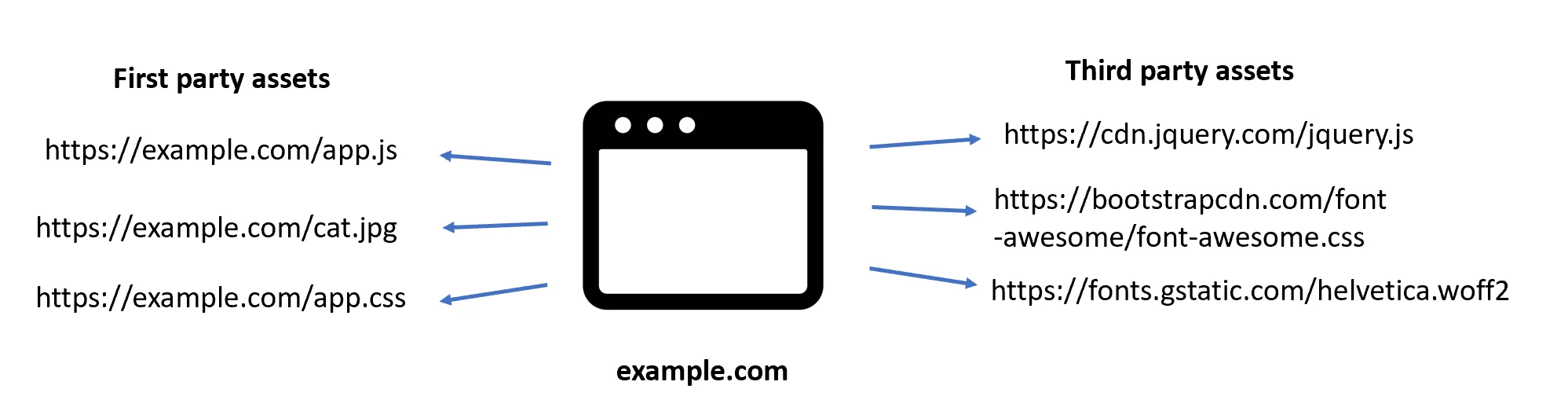
With the proxy mode, this is what it would look like.
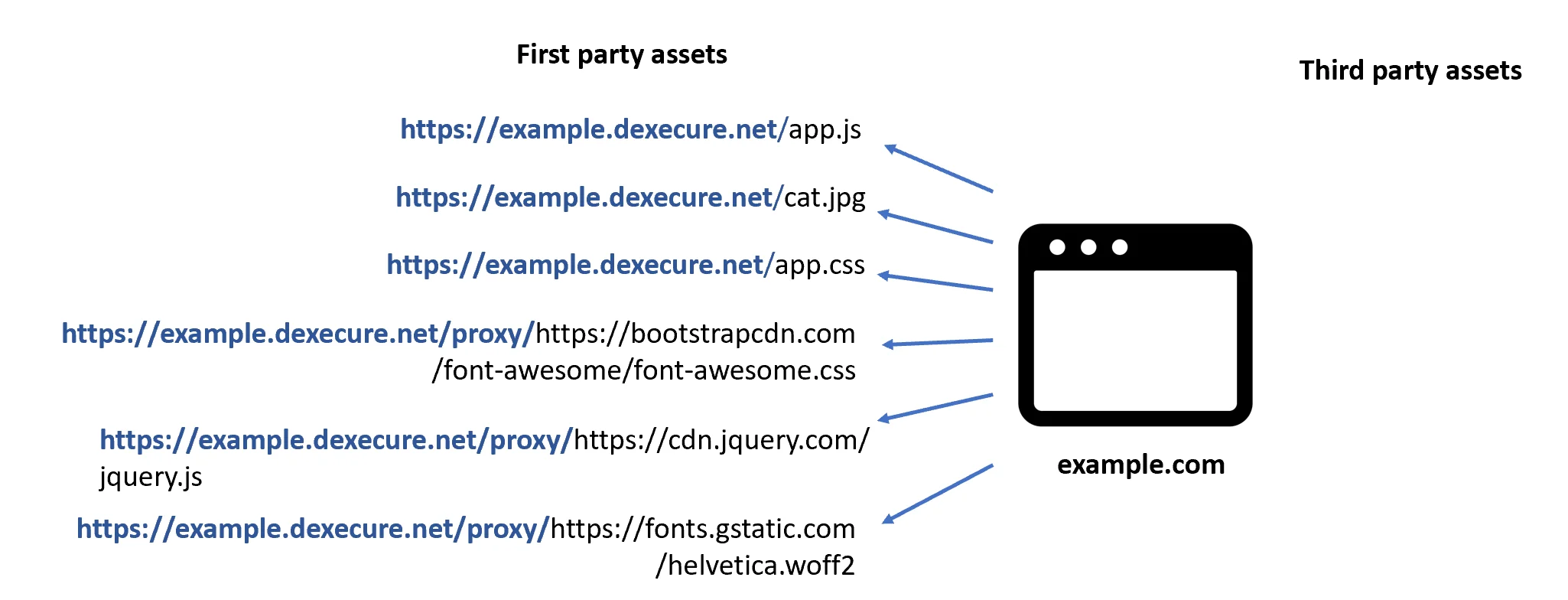
The first time Dexecure receives a request, it extracts the target URL, fetches the resource and optimizes it using the same optimization techniques used for your own domain. Once it is optimized, we cache the resource on a CDN. The next time someone makes a request to the URL, they directly download the optimized resource from the CDN.
Advantages
Fewer round trips: This completely eliminates the need for additional DNS requests, TCP and SSL setup time because we re-use the same connection that the browser already has to your Dexecure domain.
Faster downloads: By using an already warm connection to download third party assets as well, we circumvent the problem of TCP slow start, leading to faster downloads.
HTTP/2 connection priorities: With HTTP/2, the fewer connections the better. With multiple connections, the congestion control happens independently and each connection is not aware of what’s happening in the other connection.
Automatic optimizations of third party assets: You no longer need to worry if the third party libraries you are using are properly being optimized.
Use the best CDN for your use case: When using Dexecure, you also get to choose the best CDN for your traffic profile. We integrate with different CDNs like CloudFlare, CloudFront, Fastly, CDNetworks, or even your own internal Varnish cluster!
Security considerations
As a security precaution, we whitelist headers we send when making a request to fetch the third party assets. This way, you can be sure that the cookies from your own domain are not being sent to the third party domain.
If you are using a Content Security Policy (CSP) on your website, using this approach can lead to a better CSP policy too. Right now, if you want to load a single resource from cdn.rawgit.com, you would need to whitelist the entire domain in your CSP policy. But if you are able to self-host the resource or proxy it via Dexecure, you can have a tighter CSP policy. Win!